
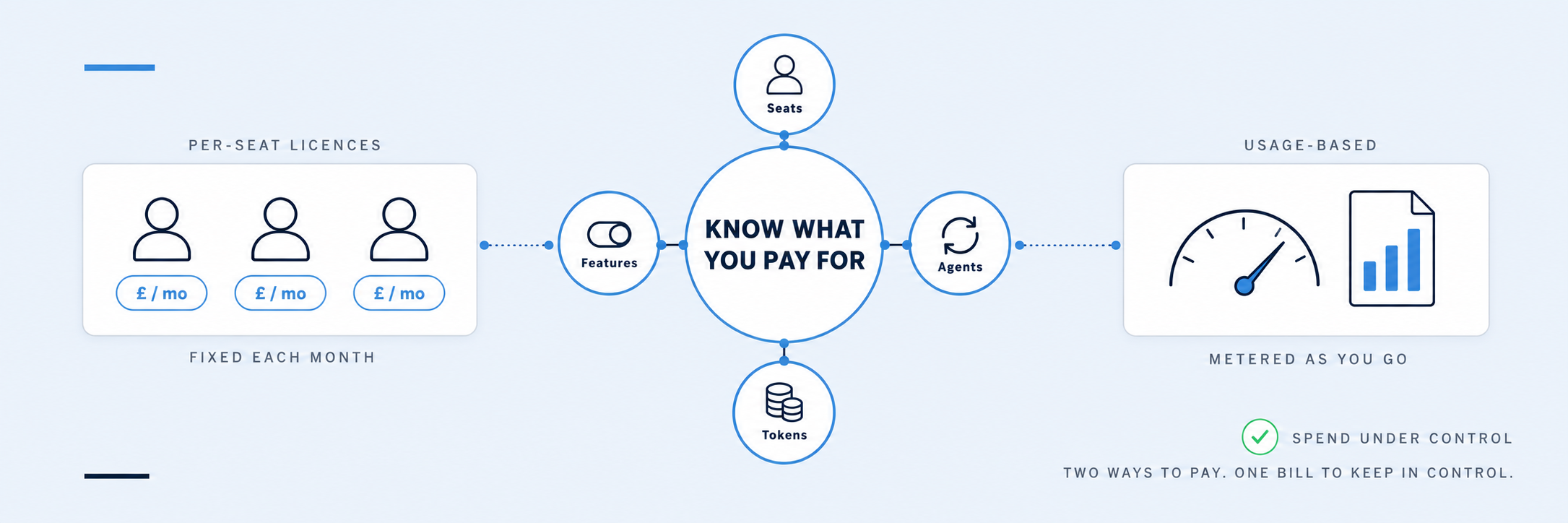
Sooner or later, every team looking at AI asks about the bill. What will it cost us, what are we actually paying for, and how do we stop it running away? They are fair questions, and the answer is that AI cost is rarely about a single headline price. It depends on three things: how you pay, which features you use, and how closely you watch it.
Before going further, one clarification. “AI” covers a lot of ground, from the predictive and analytical models that have quietly sat inside business software for years to the generative AI tools, such as Microsoft 365 Copilot, ChatGPT and Claude, that most people now have in mind. This article is about the cost of that second group: the generative AI assistants and agents your teams use day to day. The pricing principles carry across, but the examples and figures here are for those tools.
It covers what businesses actually pay for AI, where the cost comes from, and the practical ways to keep it under control. It is not financial advice. This market moves quickly: the prices, product names and billing mechanisms described here were correct at the time of writing, in October 2026, so treat them as a snapshot to confirm rather than a fixed quote. Microsoft prices are its UK list prices, excluding VAT; ChatGPT and Claude publish their prices in US dollars.
The two ways you pay for AI
Almost every AI cost falls into one of two pricing models.
The first is a per-seat subscription. You pay a fixed monthly fee for each person who has a licence, and they can use the tool as much or as little as they like within fair-use limits. Microsoft 365 Copilot works this way, at £23.10 per user per month on Microsoft’s UK price list, or £16.10 on the Copilot Business licence for organisations with up to 300 users, which is the same assistant priced for smaller businesses (more on the difference below). The business tiers of ChatGPT and Claude (ChatGPT Business and Enterprise, Claude Team and Enterprise) also use this per-seat model. The cost is predictable, which leaders tend to like, but you pay for every seat whether the person uses it daily or not at all.
The second is usage-based pricing, usually described in tokens. Here you pay for what you consume: the more text the AI reads and writes, the more you pay. This is how the providers’ APIs work, including Azure OpenAI, and increasingly how AI agents are billed. It scales neatly with value, but it is less predictable, and a small number of heavy users or one automated process can move the bill more than you expect.
Most Microsoft-based businesses meet the first model first. If your organisation runs on Microsoft 365, the natural starting point is Copilot as a per-seat licence, not a custom build on Microsoft Foundry. The usage-based world matters, and we come to it below, but for most teams it is the deeper layer, reached when you switch on agents and the heavier features, or start building your own applications, rather than simply buying seats.
| Aspect | Per-seat subscription | Usage-based (tokens) |
|---|---|---|
| How you pay | Fixed fee per licensed user | Per unit of text processed |
| Predictability | High; much the same each month | Variable; tracks actual usage |
| Typical examples | Microsoft 365 Copilot, ChatGPT and Claude business seats | Provider APIs, Azure OpenAI, agents |
| Main cost risk | Paying for seats nobody uses | Bills climbing with no clear cause |
What a Microsoft 365 Copilot licence costs (and ChatGPT and Claude seats)
For most organisations, the first real AI cost is a per-seat licence, and it is worth understanding what sits inside it.
Microsoft 365 Copilot is an add-on to a qualifying Microsoft 365 plan such as Business Standard, Business Premium, E3 or E5. On Microsoft’s UK price list it is £23.10 per user per month, excluding VAT, on an annual commitment; the US list price is $30. Organisations with up to 300 users can instead buy Microsoft 365 Copilot Business at £16.10 per user per month, currently discounted to £13.80 for the first year on purchases made before the end of 2026. Microsoft has also introduced bundles, such as Business Standard with Copilot and Business Premium with Copilot, which combine the base plan and Copilot in a single licence, and there is no longer a large minimum seat count, so smaller teams can buy a handful of licences rather than committing to hundreds.
ChatGPT and Claude follow the same per-seat logic. ChatGPT Business and a standard Claude Team seat both list at $25 per user per month, or $20 on an annual plan, with premium seats and Enterprise plans priced higher or negotiated. Both have a low entry point: ChatGPT Business needs a minimum of two paid seats and tops out at 200, and Claude Team needs a minimum of two members and supports up to 150 before an Enterprise plan is required. The account type also affects how your data is handled, which we cover in our guide to AI and data privacy.
The important point is not the headline number. It is that a subscription is paid whether the seat is used or not. Ten licences at £23.10 is about £2,770 a year, and if three of those people never open Copilot, you are paying over £800 a year for nothing. The single most effective cost control on per-seat AI is therefore the least technical one: give licences to the people who will use them, review usage after the first couple of months, and reassign seats that are sitting idle. Spotting them is straightforward, as the section on control below explains.
Microsoft 365 Copilot or Copilot Business?
The two Microsoft licences are easy to confuse, so it is worth being clear about the difference. The AI is the same. Microsoft’s own position is that there is no difference in core Copilot functionality between them: both give you Copilot in Word, Excel, Outlook, PowerPoint and Teams, Copilot Chat and access to agents. What differs is who can buy it and what sits around it. Copilot Business is only available to organisations on a Business Basic, Standard or Premium plan and is capped at 300 users; the standard licence attaches to the enterprise plans, E3 and E5, with no cap. The lower price is Microsoft’s small and mid-sized business pricing for the same assistant, not a cut-down product.
What sits around it is the Microsoft 365 plan’s own security and compliance tooling, and it matters because Copilot can see whatever the person using it can see. In plain terms that tooling covers four things: who can reach which files and sites, so Copilot does not surface documents that were always over-shared but nobody noticed; labelling sensitive material so Copilot handles it accordingly; stopping information leaving the organisation through chat, email or devices; and keeping an audit trail of what was accessed and asked. The Business plans cover the basics, with Premium adding manual sensitivity labels, simple data loss prevention, device management and conditional access. E5 adds the fuller set, which Microsoft groups under the Purview name: automatic labelling, tools that find and fix over-sharing, restricted access controls, eDiscovery and communication compliance. Copilot inherits all of this from the plan, not from the add-on.
So for an organisation under 300 users on a Business plan, Copilot Business is the obvious licence, and the real question is a simple one: if Copilot could read everything your people can already open today, would you be comfortable? If not, the money is better spent tidying permissions and labels first than on the pricier licence.
| Microsoft 365 Copilot Business | Microsoft 365 Copilot | |
|---|---|---|
| UK list price (excl. VAT) | £16.10 per user per month; £13.80 first year on purchases to 31 December 2026 | £23.10 per user per month |
| Base plan required | Business Basic, Standard or Premium | Enterprise plans such as E3 or E5 |
| Organisation size | Up to 300 users | No cap |
| Copilot features | Same core Copilot in the Microsoft 365 apps, Copilot Chat and agents | Same |
| Governance and compliance | Whatever the Business plan provides; Premium adds basic sensitivity labels and data loss prevention | Whatever the enterprise plan provides; E5 adds full Purview, data access governance and restricted access control |
Where the cost actually comes from
Once you move beyond a simple seat count and into consumption-based pricing, a few things drive what you pay. They are worth knowing because they are where surprises tend to hide.
Model choice comes first. More capable models, including the newer reasoning models that work through a problem step by step, cost more to run than lighter ones. Using the most powerful model for every task, including simple ones, inflates cost on any usage-based plan.
The length of what you give the AI matters too. AI is priced, directly or indirectly, by how much text it reads and writes. A quick question costs very little. Feeding in a 200-page contract, a year of emails or a large spreadsheet costs considerably more, because the model has to process all of it.
Agents are the fast-growing one. An agent is AI set up to carry out a task in the background, sometimes repeatedly, without someone prompting it each time. Because an agent can run many times a day, it is usually billed by use rather than by seat, and its cost depends on how often it runs and how much it does.
Add-ons and connectors round it out. Tools that let AI reach into other systems, extra storage, higher usage tiers and specialist capabilities all sit on top of the base cost.
Why AI bills come in higher than expected
When an AI bill comes in higher than expected, it is rarely one big mistake. It is usually one of a few predictable patterns.
The most common is mixing the two pricing models without noticing. A business buys Copilot seats, which are predictable, then starts using agents, which are not. Microsoft now treats agent and automation work as a separate, usage-based cost, and for new Microsoft 365 Copilot Business subscriptions bought through partners, usage-based billing is switched on by default from 1 December 2026, with a default spending limit of 4,000 Copilot Credits per user per month (explained below) that administrators can adjust. It means an organisation can move from a fixed monthly cost to a variable one without a deliberate decision, simply by starting to use agents.
The second is consumption creep. Usage-based cost rises gradually as more people use a tool, as tasks get larger, or as an automated process runs more often. No single event causes it, so nobody flags it until the invoice arrives.
The third is the pilot that scales. A proof of concept with ten users and light usage looks cheap. The same design rolled out to five hundred users, running all day, costs very differently. The unit cost did not change; the volume did.
None of this is a reason to avoid agents or usage-based pricing. It is a reason to know which model you are on, and to put visibility in place before volume grows, not after.
AI tokens and usage-based pricing, explained
This is the layer most teams reach later, if at all, but it is worth understanding in plain terms.
Usage-based AI is priced in tokens. A token is simply a chunk of text, very roughly three-quarters of a word, and both the text you put in and the text the AI produces are counted. Input and output are usually priced separately, and output tends to cost more.
On Azure OpenAI, now part of Microsoft Foundry and the place a Microsoft business would build its own AI rather than buy Copilot seats, you pay per million tokens on a pay-as-you-go basis, and the rate depends on the model. Lighter models cost pennies per million tokens; the most capable run to a few pounds per million for input, and more again for output.
The Copilot Credits covered in the next section sit on top of this. Credits are Microsoft’s way of selling usage in a simpler unit: each agent action costs a set number of credits, and Microsoft does the token arithmetic underneath. When you build on Foundry or use a provider’s API directly, the tokens are what you pay for.
Beyond the seat: agents, Copilot Credits and Microsoft Foundry
The per-seat licence is the floor, not the ceiling. It covers everyday assistant use: chatting, drafting, summarising and searching inside the apps your people already work in. The newer, more powerful capabilities sit on top, and most of them are billed by consumption rather than included in the seat. Microsoft itself now describes two models: a user subscription licence for everyday use such as quick answers and drafts, and usage-based billing for agentic work. Cowork, Code and Autopilot all run on usage-based billing. This is the part worth understanding before you commit, because it is where a predictable bill can become a variable one.
Autonomous agents: Microsoft’s Autopilot. In September 2026 Microsoft reorganised Copilot into Home, Code and Autopilot. Autopilot is a persistent, proactive agent: you give it a name, a role and a goal, and it works without waiting for prompts, watching channels, following up on threads, running recurring work and picking projects back up days later. It is in private preview at the time of writing. The capability is useful, but for this article the billing is the point: the seat buys the assistant, and autonomous agents, along with the heavier Cowork and Code features, are metered separately.
Copilot agents and credits. Custom agents built in Copilot Studio are paid for in Copilot Credits, pooled across the organisation rather than charged per user. A pack of 25,000 credits costs £153.80 a month on Microsoft’s UK price list, roughly 0.6p a credit; pay-as-you-go is available at a higher per-credit rate with no commitment. Different actions cost different amounts: a simple scripted answer is a single credit, a generative answer two, an agent that takes steps and uses tools around five, and reasoning more again.
Not every agent interaction draws on that pool. If your people already hold Copilot licences, their own use of internal agents, meaning agents used inside your own organisation by your own people, is generally covered within fair-use limits. That includes the ready-made agents Microsoft ships with the licence, such as Researcher and Analyst for deeper research and data analysis, and Facilitator, which takes notes and tracks actions in Teams meetings, as well as agents you build yourself in Copilot Studio for internal use. Copilot Chat also includes a handful of simple agents at no cost, such as the Writing Coach and Idea Coach.
Credits come into play for agents that run on their own, agents that serve customers or partners outside the organisation, and people without a licence. A busy customer-service agent handling tens of thousands of conversations a month can run into four figures. The figures matter less than the shape: the more an agent does, and the more often it runs, the more it costs, and because the pool is shared, one heavy agent can draw down the budget for the rest.
The same pattern applies beyond Microsoft. Claude and ChatGPT work the same way. A subscription covers interactive use within limits, and those limits are real: Claude’s paid plans, for example, share a usage allowance across chat, its coding tool and its Cowork features, with session and weekly caps that heavier users do reach. Beyond those limits you either wait for the allowance to reset or pay for extra usage at usage-based rates. Whichever provider you choose, the principle holds: a subscription covers a person working interactively, while agents and automation that run on their own are metered on top.
Microsoft Foundry, for building your own AI. Foundry (renamed from Azure AI Foundry in January 2026) is the platform for building, deploying and managing your own models and agents. It offers a catalogue that includes models from OpenAI, Anthropic, Meta and others, a service for running agents, search across your own documents, and the controls for managing and monitoring all of it.
It is a different commitment from buying Copilot seats, and the cost comes in layers: the model usage itself, charged per token, plus the supporting services around it, including search across your data, storage, private network connections and data transfer. Some of those bill whether the system is busy or idle. As a rough guide, a production deployment tends to start at a few hundred pounds a month before it does anything at scale. Foundry is the right tool when you are building something bespoke. It is not a step most organisations need in order to get value from AI.
So what actually leads an organisation to build on Foundry rather than buy Copilot seats? In our experience it is one of a small number of triggers, and it is worth being honest that most businesses never hit them:
- AI that your customers use. Copilot works inside your own Microsoft 365 tenant for your own people. Anything that sits in your product, website, customer portal or service process has to be built, and Foundry is the Microsoft route to do that.
- Systems Copilot cannot reach. Copilot sees what is in Microsoft 365. If the work lives in an ERP, a manufacturing or warehouse system, a legacy database or a specialist application, a custom build can connect to it directly rather than through what Copilot can surface.
- Control you cannot get from a subscription. Fixed data location, network isolation, your own keys and logging, a choice of model (Foundry’s catalogue includes Anthropic, Meta and Mistral models alongside OpenAI’s), and guardrails you define and test yourself.
- Volume economics. At high, steady volume, paying per token, or for reserved capacity, can work out cheaper than per-seat licences or agent credits, especially if you route routine tasks to lighter, cheaper models.
- Behaviour you need to shape. Fine-tuning on your own material, retrieval across your own documents with your own rules, and evaluation you control, so the system behaves consistently for one well-defined job.
Each of those is a real reason. None of them is a reason to start there. Building on Foundry brings the layered costs above, plus the responsibility for running, securing and governing what you build, so the sensible sequence is Copilot first, then a custom build when one of these triggers is clearly present and the value justifies it.
The hidden costs of AI: data, architecture and integration
The licences, tokens and agents are only part of the picture. The cost of getting real value from AI usually sits in the work around it, and for established organisations that work is often the larger figure.
Three things tend to matter most. Data foundations come first: AI is only as good as the information it can reach, so poor, scattered or badly governed data limits what any tool can do, and sorting it out takes time and effort. The right architecture and integration come next, because value tends to appear when AI is connected properly to the systems and processes people already use, rather than bolted on at the edge. And governance, training and adoption round it out, because a tool nobody trusts or knows how to use is a cost with no return.
None of this means the foundations must be perfect before you start. It means the subscription price is rarely the whole cost, and the organisations that get the most from AI are usually the ones that budgeted for the groundwork, not just the licences.
How to keep AI costs under control
Controlling AI cost does not require a complex system. A handful of habits cover most of it. Larger organisations will recognise them as FinOps, the practice of managing cloud spend as a shared responsibility between finance, technology and the teams using the services, and it applies to AI exactly as it does to cloud. You do not need a FinOps function to do the basics below, but if you have one, AI spend belongs in it.
Right-size your seats. Give licences to people who will use them, check usage after the first month or two, and reclaim idle seats. On subscription pricing this is the biggest lever you have.
Match the model to the job. Reserve the most powerful, most expensive models for work that needs them, and use lighter models for routine tasks. On usage-based plans this alone can change the bill substantially.
Keep AI spend visible. Whichever tools you use, make sure someone can see consumption and how it is trending, not just the final invoice. For Copilot, the Microsoft 365 admin centre’s Copilot usage report (under Reports, then Usage) shows how many licensed people are actually active and, for each one, the last date they used Copilot in Word, Excel, Teams, Outlook and Copilot Chat, over any period from a week to six months, and it exports to Excel.
Anyone with no activity in the last 90 days is a seat to reassign. Companion reports cover agents, Copilot Credits and Cowork usage, which is where the usage-based side of the bill shows up. ChatGPT Business and Claude Team give workspace admins a simpler view of who is active. The point is that somebody actually looks at it.
Set budgets and guardrails before volume grows. On usage-based services you can set a budget, spending limits and alerts. Put them in place at the start, when the numbers are small, rather than after a surprise.
Scope pilots with cost in mind. When you test something, estimate what it would cost at full scale, not just during the trial. A design that is cheap for ten users may be unaffordable for five hundred, and it is better to know before you roll it out.
Review regularly. AI pricing, plans and models change quickly. A short review every few months will catch idle seats, better-value models and plans that no longer fit.
Cost is only half the question: judging value
Cost only means something next to value. A tool that costs £20-odd a month but saves someone three hours a week is not an expense, it is a return. One that costs the same and sits unused is pure waste, however low the price.
The more useful measure is not the price of the tool but the cost of getting a piece of work done, and whether AI lowers it. A Copilot seat that helps someone draft, summarise and search faster can pay for itself quickly. An agent that handles a repetitive task can do the same at a different scale. The figures in this article tell you what you will pay. They do not tell you what you will get, and that is the question worth asking next. Our guide to practical AI use cases is a good place to start on where that value tends to show up.
We will cover how to judge the return on AI, and how to measure it honestly, in a future insight.
Common questions
How much does a Microsoft 365 Copilot licence cost?
On Microsoft’s UK price list, £23.10 per user per month excluding VAT, on an annual commitment, as an add-on to a qualifying Microsoft 365 plan. Organisations with up to 300 users can use the Copilot Business licence at £16.10, discounted to £13.80 for the first year on purchases before the end of 2026. Microsoft also sells bundles that combine the base plan and Copilot, and there is no longer a large minimum seat count.
Is Microsoft 365 Copilot worth it for a smaller business?
It depends almost entirely on whether people use it. At £16.10 a seat on the Copilot Business licence (£13.80 on the current first-year offer), it pays for itself if it saves someone even an hour or two a month on drafting, summarising and searching. Where it sits unused, it is pure cost. Start with the people who will use it most, measure what changes, and expand from there. We will look at measuring the return on AI properly in a future insight.
Is Copilot or ChatGPT cheaper for business?
They are broadly similar per seat: roughly £16 to £23 a month for Copilot depending on the licence, and $20 to $25 for ChatGPT Business or a standard Claude Team seat. The cheaper option depends less on the sticker price and more on which one your people will actually use, and whether it sits inside the tools you already pay for. For a Microsoft organisation, Copilot’s advantage is being built into the apps your teams already work in.
What is a token, and why does it affect cost?
A token is a chunk of text, very roughly three-quarters of a word. Usage-based AI counts the tokens going in and coming out, so longer documents and longer answers cost more. It matters on the providers’ APIs, Azure OpenAI and agents, but not on a fixed per-seat licence.
Why did our AI bill go up when we did not add users?
Usually usage-based creep. Seats are fixed, but agents running in the background, heavier models, larger documents or a pilot scaling up all increase consumption. The place to look is usage, not licences.
Do agents cost extra on top of our Copilot licence?
Often, and it depends on who uses the agent and how it runs. Everyday use of internal agents by people who already hold Copilot licences is generally covered within fair-use limits. Agents that run on their own, agents that serve people outside the organisation, and use by unlicensed staff are billed by consumption, usually through Copilot Credits pooled across the organisation. If you plan to use agents, budget for that usage separately and keep an eye on it from the start.
How do we budget for AI when usage varies?
Keep the predictable costs, meaning seats, separate from the variable ones, meaning usage and agents. Set spending limits and alerts on the usage-based services, estimate pilots at full scale before rolling them out, and review every few months.
How do we see who is actually using Copilot?
In the Microsoft 365 admin centre, under Reports and then Usage, the Microsoft 365 Copilot usage report lists every licensed user with their last activity date in each app, alongside enabled and active user counts. Export it, sort by last activity, and the idle seats are at the top. Agent, credit and Cowork usage have their own reports alongside it.
Do we need Azure to use AI in our business?
No. If you run on Microsoft 365, Copilot seats are the usual starting point and require no Azure setup. Microsoft Foundry, which includes Azure OpenAI, is for building your own AI or agents. That is a later step for most organisations, not a requirement for getting started.
A final thought
AI cost is manageable when you are deliberate about three things: how you pay, which features you use, and how closely you watch it. Per-seat licences give you predictability, so put them where they will be used. The heavier features, such as agents, Autopilot, Cowork and Code, are where the seat stops and metering starts, so switch them on deliberately rather than by default. Usage-based pricing gives you flexibility, so give it the visibility and limits that flexibility needs. Keep seats and usage apart in your head, and the bill stops being a surprise.
The numbers will keep moving, so it is worth reviewing your position now and then rather than setting it once. The principle holds steady: know your model, know your usage, and know the value you are getting for both.
Mavents helps organisations adopt AI in a way that is practical, controlled and tied to real value, so you pay for what works and avoid what does not. If you are weighing up Copilot, agents or a wider rollout and want a clear view of the cost before you commit, that is exactly what our AI strategy and roadmapping and AI governance work is for.